Find out how to scrape a medal table by scrolling down this piece
Looking for data around the Olympics? Good luck. By the time the Winter games in Sochi are over, there may be hundreds of Olympians polishing their lovely new medals. But try and access the speed that event was won in or the runners up and you will be reduced to cutting and pasting. The games are open; the data is closed.
It’s not so long ago that the Olympics took place in London. I wrote that:
These Olympics are a gift for Data journalism. Every day brings us a story that cries out for analysis
So, we scraped the data, made it available and asked our readers to get involved. I still feel that we shouldn’t have to do that but we did because this data belongs out in the open.
Data is a commodity in the Olympics. You might be able to see the curling or Jenny Jones win a medal in front of you, but the numbers behind that sport are a product to be bought and sold. The result is a lack of transparency and openness.
Does it matter? Isn’t this only a sporting event?
It does because this is not the only area of life (and reporting) where basic information comes at a price.
This year there will be over 30 elections around the world. Most of them will not take place in environments where the voting data is open and available.
If we can’t even get the data out there for a sporting event watched by millions around the world, what chance do we have of making the basic stuff of democracy available?
How to scrape a medal table
So, want to download a medal table, keep it up to date and bring it into a Google spreadsheet? It’s actually easier than you might think.
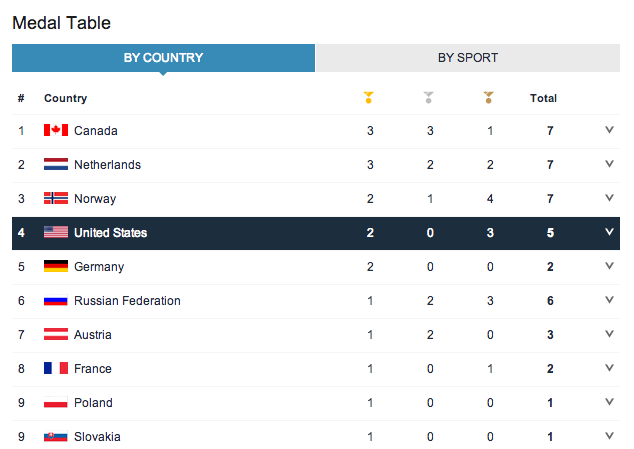 So, the BBC publishes this medal table on its website, constantly updated. You don’t really want to copy and paste that every day, so you can try the rather useful IMPORT HTML function in Google spreadsheets. This allows you to bring a table from a website into your spreadsheet.
There’s a great guide here to importing tables into Google spreadsheets using the IMPORT HTML function. Check it out with a Bollywood example below.
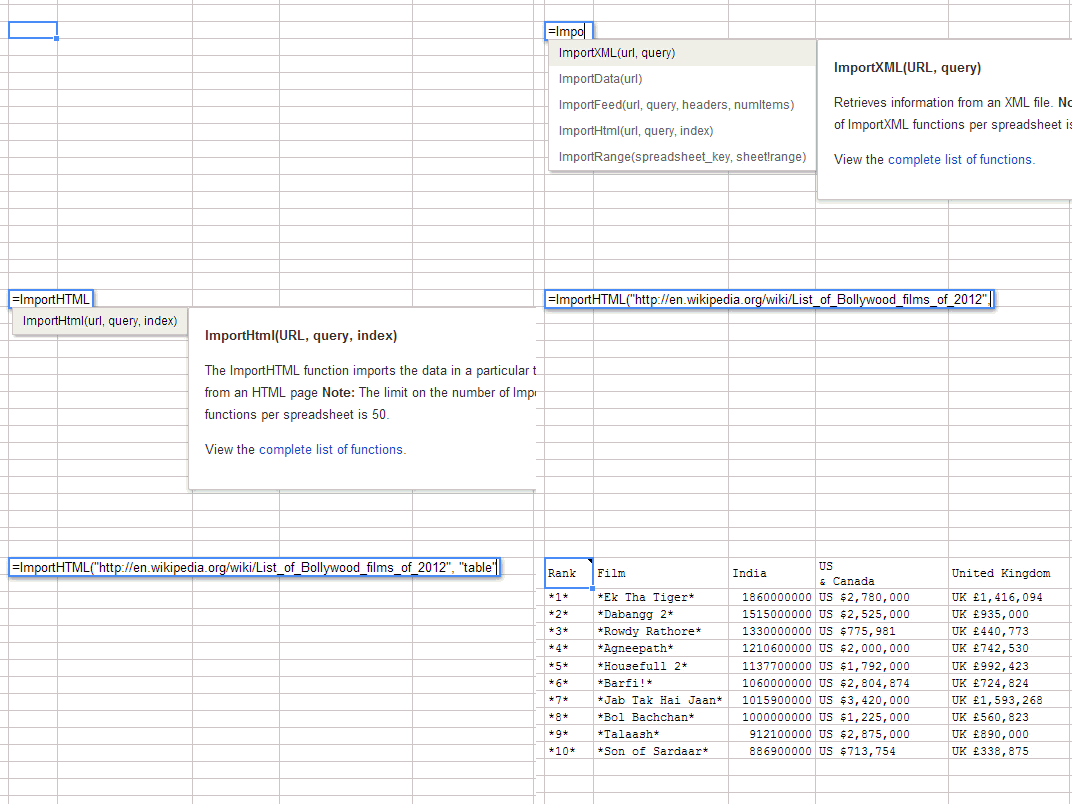
The command to scrape the medal table is:
=ImportHtml("http://www.bbc.com/sport/winter-olympics/2014/medals/countries", "table",1)
And the result is this:

Neat, eh?
And, here’s some more data journalism and the Olympics content:


 Simon Rogers
Leave a reply to Data Viz News [44] | Visual Loop Cancel reply